This site uses affiliate links. Click here for our full disclosure.
Now that you know how to apply to an affiliate program in ShareASale, I’m going to show you how to find your affiliate links so that you can start promoting that product or service to help your people and increase your affiliate earnings.
How to Find Affiliate Links in ShareASale
1. Login to your account at www.ShareASale.com
2. Go to Links/ Get a link/banner at the top left of your screen.

3. Choose from your approved merchants and click on “Get Links” under their name. We’re using SHOTBOX as our example.

4. Now you can click on the type of link you’d like: text, banner, custom…
In the “Text Links” tab click on “Get HTML Code” over on the right.

It will open up a new window where you can copy and paste the code into your site, email or social media. The “shortest code available” is the code to use if you are hyperlinking text, it is your bare bones affiliate link. In our case, it is http://www.shareasale.com/r.cfm?B=860992&U=979868&M=65663&urllink= . The first # has to do with the creative/banner. The second # is my aff ID (which you can find at the top of your account) and the last # is the merchant ID #. In this case, SHOTBOX‘s ID is 65663.

5. For Banner links, click on the “Banners” tab. Hovering over the image will tell you the title and size. If you click on the image it will open up a pop up with the code you can copy. The code will look something like this:
<a target=”_blank” href=”http://shareasale.com/r.cfm?b=875290&u=979868&m=65663&urllink=&afftrack=”><img src=”http://static.shareasale.com/image/65663/SBBanner620x203_00.jpg” border=”0″ /></a>
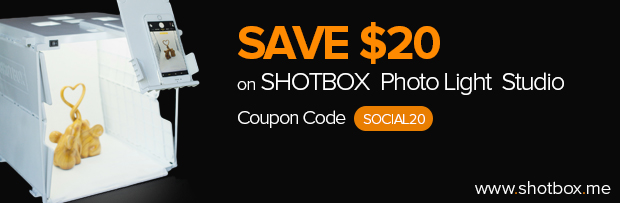
The first URL inside of parenthesis is the destination URL with your affiliate tracking link attached. The second URL after src= is the URL where the image is located. You would copy/paste this code into your blog post, or email HTML editor and it will look like this:
6. Clicking on the “Deals/Coupons” tab will give you your custom tracking link for any current deals this affiliate is running. You may need to click on “full details” on the left to see if there is a coupon code your audience will need to use in addition to the link.

7. If you’re more advanced or want your affiliate link to take people to a specific page on the merchant’s site, you can use the “Create Custom Link” tab and create that by entering the destination URL you want people to go to and click the create button, and it will give you the code. Easy as pie.
BONUS Step 8. If you want to create you own image and attach an affiliate link to it, for your sidebar, post or elsewhere, this post will tell you how to do that.
How to Track Your Clicks
To Track your clicks on your links you’ll want to go to Reports/ Traffic Report at the top left.

The report will show you the number of clicks you got on which links to which websites, as well as sale and commission information.

Knowing how to find affiliate links in ShareASale is just half the work. The exciting part is sending them out to your people and tracking the results and claiming the commissions!
If you’d like to learn more about affiliate marketing to serve your people and increase your income, check out our Affiliate Marketing Secrets and Strategies Course.






Leave a Reply